(+61) 1300 654 616
AviCAD 2027 - Just Released (10% Discount MUST END July 10th) |
Products » Main Category » AviCAD Complete CAD (Special Offer)
AviCAD Complete CAD (Special Offer)

Industry-Proven Since 2010Engineered as a powerful, cost-effective AutoCAD® alternative - AViCAD provides a native DWG environment with full command compatibility. Transition effortlessly, protect your custom workflows and ensuring your team maintains uninterrupted productivity with zero retraining |
 |
ZERO Risk Transition to AviCAD
100% Native .DWG Support (No File conversions required)
Familiar Command Enviroment (Zero retraining needed)

Why AviCAD? - watch short 2 minutes video...

AViCAD Professional: Enterprise-Grade 2D/3D CAD and Plant Design Software
|
|
|

AViCAD is a high-performance CAD solution optimized for process plant design, mechanical drafting, and AEC applications. Built on a robust 2D/3D geometric modeling core, AViCAD features native DWG support to guarantee complete file fidelity and cross-platform interoperability with AutoCAD® environments without geometry degradation or proxy object data loss
Licenses Options
| PERPETUAL Licences Flex. Licencing - Available |
Subscription Licences Cancel Anytime |
 |
 |
 |
|
| Only $49/month | Only $449/year |
Other License Options:
Contact ASVIC for details
Network (Floating) |
Corporate |
Corporate (Country) |
Powerful Apps Included
-
All-In-One Mech-Q: Engineering and Plant Design Suite
Included ($899 value)
AViCAD consolidates specialized engineering workflows by embedding professional-grade MEP, structural, and mechanical design modules directly into a unified DWG workspace. By providing these advanced vertical applications natively, AViCAD removes the reliance on disjointed third-party extensions and ensures seamless data integrity across disciplines.
 |
Piping CAD software tools. 2d/3d piping, isometric piping and P&ID. The piping software includes a comprehensive range of pipe, pipe fittings, flanges and valves. Pipe systems supported, include: Butt Welded, socket welded, flanged, threaded, ductile & cast iron, grooved, stainless, PVC…Features include auto-BOM, fully customizable and a database editor to add/modify fittings. Many other piping utilities included. More Detail
|
|
 |
Mechanical & Material Handling CAD software tools – include a range of mechanical symbols & housings, gears plus much more. The Mechanical Module also includes material handling items (conveyor rolls, sprockets, Trajectory calculator..), springs, shafts utility plus most modules draw in 2D or 3D. More Detail
|
|
 |
HVAC Ducting CAD software 2d/3d tools – include rectangular, round and flat oval ducting with auto-BOM, auto-label, flat sheet development. Our HVAC Ducting module also includes several duct fittings, including: duct transitions, tees & wyes, offsets, branches, dampers, diffusers, flexible duct, grills and other accessories. More Detail
|
|
 |
Structural CAD software tools – allow you to quickly create steel shapes - most standards world wide plus many structural CAD detailing tools for easy drawing of stairs, ladders, hand railing and more. The Structural Module also includes beam & columns connections, angled beams, bracing, , frames, beam designer and more. More Detail |
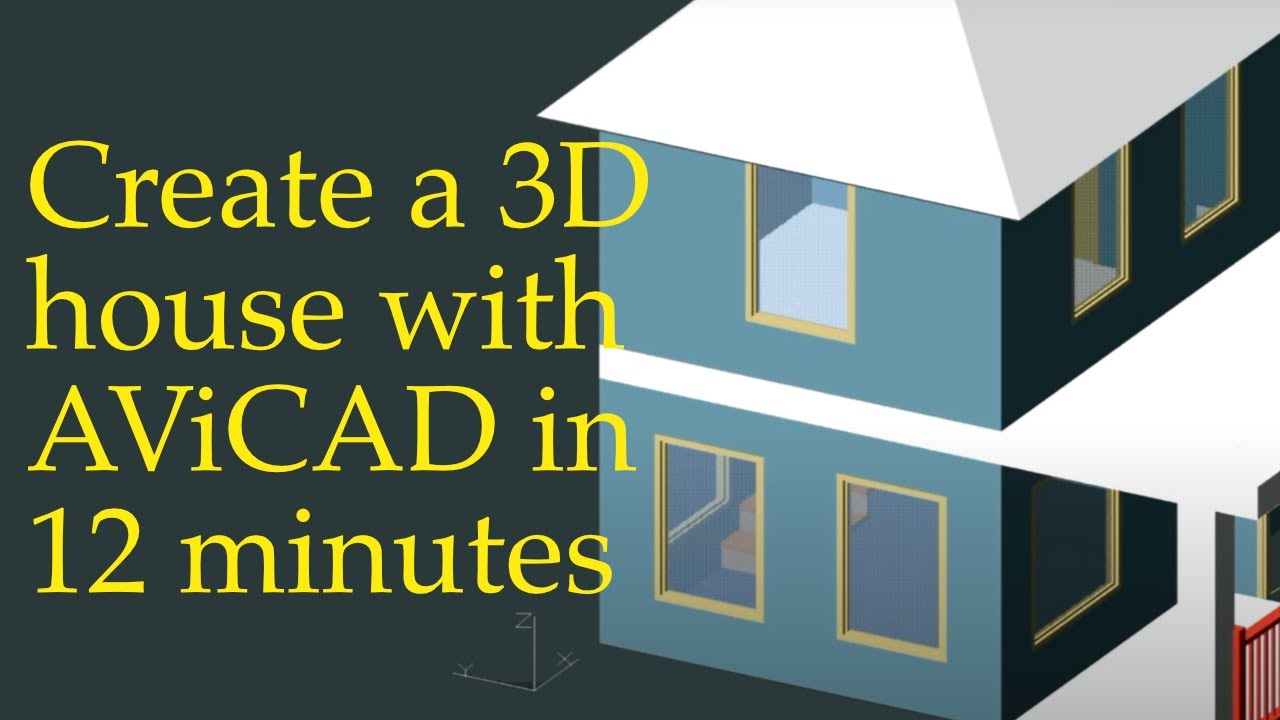
"EasyArch" Built-In 2d/3d Architectural software
|
Watch Video:
|
Stop Drawing Lines. Start Building Layouts. AViCAD includes EasyArch—an out-of-the-box, 2D/3D automated architectural extension that transforms your drafting speed. Perfect for residential design, commercial space planning, and remodeling projects, EasyArch operates natively in DWG to keep your workflows lightweight and 100% compatible. Intelligent Automation for Faster Turnarounds:
|


-
Production-Ready Standard Component Library
Minimize Modeling Overhead To eliminate repetitive layout tasks, the AViCAD Plus edition features an expansive library of over 27,000 standard 2D/3D engineering blocks and symbols, allowing designers to drop production-ready components straight into their drawing space.
Why Engineering Departments are switching to AViCAD
- Zero Learning Curve: Preserves your established drafting workflows, command lines, and keyboard shortcuts for immediate deployment across your team.
- Native Interoperability: Reads and writes industry-standard .dwg and .dxf formats natively, ensuring seamless cross-collaboration with external contractors and clients.
- Exceptional Software ROI: Replaces the prohibitive subscription costs of traditional BIM and CAD platforms, making it the trusted choice for a rapidly growing global network of engineering and detailing firms.
What's New AviCAD 2027 - Even fastest and most feature packed version...
Performance
- Brand-new ICAD 14.1 engine
- Commands, dramatically faster
- Smarter memory management
Flex. Licensing
- New Flexible. License
- Install on every PC you use.
- AviCAD, wherever you work
AViCAD Features:

DWG Compatibility!
AViCAD features native DWG read/write support, providing full compatibility with files created in the latest AutoCAD® 2027 format. This ensures seamless, bi-directional interoperability across multi-CAD environments, allowing frictionless file sharing without the need for data conversion. Additionally, unlike standard AutoCAD®, AViCAD includes the complete Mech-Q engineering suite—comprising Piping, Mechanical, Structural, and Ducting modules—fully integrated at no extra cost.
Minimum Requirements
- Microsoft Windows 7®, Windows 8®, Windows 8.1®, Windows 10® or Windows 11®.
- Intel Pentium® IV or AMD equivalent. Anyway more powerful processors are strongly recommended.
- 4 GB RAM minimum (8 GB recommended)
- 4 GB of hard disk space
The Affordability of AViCAD
Why Engineers and Drafters are Switching to AViCAD
- Unmatched ROI: Secure a lifetime perpetual license for less than 25% of the cost of a single year's AutoCAD® subscription. Stop renting your software.
- Flawless Compatibility: Seamlessly open, edit, and save DWG files across legacy and modern versions, supporting AutoCAD® 2000 through 2027.
- Advanced 2D/3D Capabilities: Powered by the robust IntelliCAD 14.1 engine, AViCAD handles complex 3D solid modeling, rendering, and specialized application hosting effortlessly.
- Zero Learning Curve: An industry-standard interface means your shortcuts, command lines, and toolbars are exactly where you expect them to be.
Licenses options:
| PERPETUAL Licences Flex. Licencing - Available |
Subscription Licences Cancel Anytime |
|
|
|
|
| Only $49/month | Only $449/year |

AViCAD CAD Mech-Q WG CAD Low cost CAD Cheap CAD Free CAD 2D CAD 3D CAD AutoCAD Clone CAD Software Cheap CAD Software AutoCAD IntelliCAD ProgeCAD Bricscad GStarCAD ZWCAD CADian Powerful CAD CAD Australia CAD USA CAD Europe. AutoCAD IntelliCAD
Related Products

What is AviCAD?
AviCAD: The Powerful, Native DWG Alternative with Perpetual Licensing
Eliminate subscription fatigue without compromising your workflow. AviCAD delivers a fully compatible 2D/3D environment operating on native DWG files (v2.5 through v2027). Built for cross-disciplinary engineering and architecture, it seamlessly imports Autodesk Revit®, IFC, and SolidWorks® models directly into your workspace.
Key Capabilities:
- Advanced Block Management: Full authoring, creation, and editing tools for Dynamic Blocks.
- Multi-Format Interoperability: Perfect for AEC, MCAD, and multi-platform collaboration.
- Unmatched ROI: Delivers a deeper feature set than AutoCAD® LT—including 3D modeling and advanced BIM import—at a fraction of the cost of AutoCAD®, ArchiCAD®, BricsCAD®, or MicroStation®.
- True Ownership: Zero forced subscriptions. Pay once, own it forever.
8 Reasons for choosing AViCAD
- Perpetual Licensing available! No annual fee. You decide when to upgrade
- Nothing to learn, if you are AutoCAD® users
- Works natively with DWG! Fully compatible with AutoCAD® without conversion
- Packed with Mechanical & Architectural Tools
- Mech-Q Engineering Apps included
- Create architectural layouts in a flash with the EasyArch parametric plug-in
- Export to Google Earth®
- 22.000 blocks ready to use + customizable blocks manager
- Import/Export - PDF, 3D PDF, DWF, 3DS, DAE, LWO, POV, Maya, OBJ, BMP, JPG, WMF, EMF, SVG.. Now Also: STEP, IGES and Solidworks
- Affordable - 1/4 Price of AutoCAD
Mech-Q engineering apps included in AviCAD
Watch video:
AviCAD 2027 - Advanced Features
- PDF Export with Layers - includes PDF/A ISO19005 Standard export\
- PDF to DWG conversion
- Insert BIM models into DWG. IFC and Autodesk Revit® files supported
- Exports STEP, IGES, PDF, DWF, 3DS, DAE (Collada), STL, LWO, POV, MA(Maya), OBJ(Wavefront), BMP, JPG, WMF, EMF, SVG
- Imports STEP, IGES, IFC, Rvt/Rfa (Revit®), SolidWorks .sldprt part files and .sldasm assembly, ESRI-SHAPE SHP, 3DS, DGN(Microstation), LWO, OBJ, STL, IFC, RGT, DXF, DWF, DWFx
- PointCloud import (ReCap® .rcp, .rcs, .pcg, .isd, .xyz, .ply, .las, .laz)
- Customizable Toolpalettes for Blocks, Hatches and frequently used Commands
- 3D Print - STL export for 3D Printer output
- DWG Compare - Spot every difference in your drawings, instantly
- iCADLib Blocks Manager. More than 22.000 2D/3D ready-to-use blocks
- Direct access to Traceparts, Cadenas and BIM&CO with millions of blocks and BIM objects ready-to-use
- Parametric generation and insertion of 2D or 3D mechanical/structural components for construction
- ACIS solids
- Dynamic blocks - Advanced Blocks (Insertion/Creation/Editing)
- 3D AEC Architectural - 3D/2D building plugin for architects (Compatible with AutoCAD® Architecture
- Quick Calculator - use the calculator with the Properties palette to change the objects's properties.
- SuperHatch - Create hatch from images, blocks, xrefs and wipeouts.
- Helix and Loft Commands
- Multileaders
- MAPIMPORT - Geo Data and FDO Import
- Inserts geometries from SDF files, SQLite and SHAPE (esri) files, or can use a database server service like WFS
- Gradient Hatch
- 2D Isometric drawing - Draw 3D-looking objects with standard 2D tools
- Bitmap/Raster support - Jpeg, TIFF, Png, Gif, ECW, MrSID and Jpeg 2000
- Bitmap polygonal clipping
- Geolocation with interactive background map from Microsoft Bing and ESRI
- Plot Margin Customization - cover the entire sheet area
- Digital signatures to .dwg files
- Spell-check on the fly
- DATALINK - Link a Microsoft Excel spreadsheet to a AviCAD table
- XLSIMPORT - Imports directly an .xls or .xlsx file into a new static AviCAD Table.
- DATAEXTRACTION create a detailed schedule, a parts list, or a bill of materials
- AUTOSEZ - automatic creation of surface profiles (Topographic Sections - AutoCAD Civil 3D Feature)
- SLOPE creation of slope patterns
- Customization - AutoLISP, Visual Lisp, DIESEL, SDS, ARX, COM automation, .NET
- Block Editor (Compatible with Advanced Blocks/Dynamic Blocks)
- Raster Draw - The Raster Design® replacement
- Generative AI Drawing Translator - Translate drawings with the power of Translate drawings with the power of artificial intelligence
- QRCODE and Barcodes - Create and insert a QRCODE and Barcodes from any text, URL etc.
- Rubber sheeting - Nonuniform adjustment of images (MAP/GIS)
- Google EarthTM Integration
- 3D PDF Export
- Construction Lines
- Full Tables Support - AutoCAD® like Text in-place editing, numeric Rows, and alphabetical Columns. Cells with Formulas supported.
- Color Books - AviCAD supports standard Color Books
- AutoCAD® like Sheet Set Manager
- Dynamic UCS
- Dynamic Input
- AEC, Civil, GeoMaps, Mechanical objects support
- Geolocation with interactive background map from Microsoft Bing and ESRI ArcGIS
- Flatshot command - Generates an accurate flat view of a 3D model
- AREATEXT - Calculate boundary area and place the text with the value in the center of the area.
- ARRAYPATH - Place object copies uniformly along a path or a portion of a path
- Find and Replace
- Express Tools - A complete set of Extra functions for Blocks, Layers, Texts
- Annotative Objects
- Arc Aligned Text
- Multigrip Editing
- Render engine - AviCAD integrates for free the Artisan Renderer module
- Automatic Perspective image correction
- QUICK PROPERTIES Palette Rapid access to the most useful object properties
- 3DConnection SpaceMouse and CADMouse support
- eTransmit - Compacting and transmitting DWG files with dependences by email
- Eattedit - Advanced Attribute editing
- QDIM - Quick dimensioning
- 3DWALK and 3DFLY - Changes the 3D view in a drawing interactively to create the appearance of walking or flying through the model
- Publish (Batch Plot)
- Raster to Vector converter - Convert your paper drawings to editable DWG files
- Cloud - Share files on Cloud - Supports the major cloud services for file sharing and syncing like DropBox, Google Drive and Microsoft One Drive
- BetterWMF Integration ( https://www.furix.com/betterwmf )
What's New in AviCAD 2027
AviCAD Featues as added by version
Feature Comparison |
AViCAD |
AutoCAD |
AutoCAD LT |
| Native DWG |  |
|
|
| DWG for AutoCAD® version 2.5 to 2027 | |
 |
|
| DWG Recovery | |
|
|
| Classic Toolbars and Ribbon GUI support ? | |
|
|
| Tables creation/editing | |
|
|
| Tables Styles ? | |
|
|
| Mechanical, Piping, HVAC & Structural Plugin | |
|
|
| 20,000+ Block Library (Architectural, Electrical + more) | |
|
|
| EasyArch 3D (Architectural plugin) | |
|
|
| Export to DWF | |
|
|
| Export Interactive 3D PDF | |
|
|
| STL and Collada (DAE) Export ? | |
|
|
| Edit multiple drawings | |
|
|
| User Profiles support | |
|
|
| Multiple Paper Spaces (layouts) | |
|
|
| AutoCAD® 3D surface commands | |
|
|
| ACIS viewing | |
|
|
| Full ACIS modeling & editing | |
|
|
| XRef Manager | |
|
|
| MTEXT support via external editor | |
|
|
| Hatch editing | |
|
|
| Lineweights (display and print) | |
|
|
| Arc Aligned Text | |
|
|
| Quick Dimension | |
|
|
| Drawing Fields ? | |
|
|
| Raster Image Display (image management) | |
|
|
| PDF, DWF, DGN Underlay | |
|
|
| Image polygonal clip | |
|
|
| Traceparts and Cadenas integration | |
|
|
| Rendering | |
|
|
| Image menu | |
|
|
| CTB color table files | |
|
|
| STB style table files | |
|
|
| Graphical Block Preview | |
|
|
| PLOT command | |
|
|
| Publish (Batch Plot) | |
|
|
| AutoCAD® Command Line | |
|
|
| AutoCAD® menu and script files | |
|
|
| Explorer for managing layers, blocks, line types | |
|
|
| Object Properties toolbar | |
|
|
| Edit properties of multiple entries | |
|
|
| Properties palette | |
|
|
| Apparent & Extended intersection snap | |
|
|
| Polar Tracking | |
|
|
| Express Tools | |
|
|
| Refedit ( Edit locally individual objects within a Block) | |
|
|
| Layer Manager ( Save and Restore Layers configurations) | |
|
|
| ETrack | |
|
|
| Visual Menu Customization | |
|
|
| ActiveX, including in-place editing | |
|
|
| IRX - similar to ARX - SDS/ADS C++ | |
|
|
| Solutions Development System (SDS/ADS C++) | |
|
|
| LISP (including DCL) & VLISP | |
|
|
| Script Recorder | |
|
|
| COM support | |
|
|
| Visual Basic for Applications (VBA) | |
|
|
| External VBA file loading (multiple .vbi) | |
|
|
| JPG print | |
|
|
| PDF and PDF/A print | |
|
|
| True Type Font | |
|
|
| Annotative Objects ? | |
|
|
| Dynamic Input ? | |
|
|
| Integrated Cloud Service ? | |
|
|
| eTransmit | |
|
|
| Find & Replace | |
|
|
| Native ECW support | |
|
|
| Native Jpeg 2000 support | |
|
|
| True color support | |
|
|
| Wipeout | |
|
|
AViCAD FAQ
Will AviCAD work with AutoCAD® Files?
Yes, it directly supports AutoCAD® DWG files from AutoCAD® 2.5 through AutoCAD® 2027. AViCAD is also powered by IntelliCAD, one of the CAD industry’s leaders.
What kind of computer do i need to run AviCAD?
Windows® XP, Vista, Windows 7, 8, 10 or 11 with Intel Pentium® or more powerful processor 1 GB RAM (minimum), 2 or more GB (recommended) 4 GB of hard disk space.
I am an AutoCAD® user - Will I need to re-learn anything?
No, there is very little difference between AutoCAD® and AViCAD. It looks and feels just AutoCAD® using icons and commands you are accustomed to. It also has built-in 3D modeling capabilities, XREF-ing and more.
Can I customize AviCAD easily?
Yes, AViCAD uses AutoCAD®-style command lines that can be used with scripts and extensions like VBA, AutoLISP, Visual LISP and C++ programming. AViCAD also supports SHX fonts.
Can AviCAD be used for more than just mechanical drawings?
Yes, AViCAD is complete 2D and 3D design software useful for any CAD field. Besides Plant Design and mechanical drawings, it can also be used for other industries, such as AEC and Civil Engineering. In our Pro version, we also supply you with 22,000 blocks from various industries (not just mechanical).
Will I need to convert my drawings to share them with my clients?
No, AViCAD uses the original format DWG by default. It offers complete compatibility with AutoCAD® without any file conversion or data loss. AViCAD also cen export to DXF, a file type supported by most all CAD applications.
What unique features does AviCAD offer compared with AutoCAD®?
AViCAD’s robust toolset includes Mech-Q, a suite of mechanical engineering tools (HVAC, piping, structural, and ducting); advanced 3D AEC modules for architectural tasks; and integrated features like PDF to DWG conversion and SolidWorks import/export compatibility. It also provides an expansive library of pre-drawn CAD blocks, useful for architecture, mechanical,electricl and other disciplines. The software supports perpetual licensing, which provides lifetime access at a cost-effective price. Additionally, AViCAD is fully compatible with DWG files, making it ideal for AutoCAD® users wanting to both save money and have these tools built directly into the software.
Can AviCAD handle complex piping & mechanical workflows?
AViCAD offers specialized features, including the Mech-Q engineering suite for HVAC, piping, and structural design, 3D AEC modules tailored to architects, and easy PDF-to-DWG conversion. These features make AViCAD highly versatile, handling industry-specific tasks beyond typical CAD software.
Does ASVIC offer direct customer support & troubleshooting to customers?
AViCAD offers direct customer support, including setup help, troubleshooting, workflow optimization and many help videos to help you get started. Premium support options are also be available for in-depth guidance.
How does AviCAD perform in collaboration situations?
AViCAD ensures compatibility with industry-standard DWG files, making it easy to share and collaborate on designs with AutoCAD® users. AViCAD also supports multi-user licenses, streamlining collaboration across teams and projects.
I like to try AviCAD - Can I download it?
If you would rather try AViCAD without signing up, it’s no problem. We offer a a free download with some features disabled. No CC is required. Feel free to visit our free download signup. You can always convert it later to a paid plan by simply contacting us.
Does a perpetual license ever expire?
No, the license does not expire. Sometimes, when you upgrade Windows to the latest release and you have an older AViCAD installed, it may fail to run. In such cases you will need to upgrade. The pricing for a major upgrade varies depending on how old your license. In addition upgrading to the latest allows you to use the latest features.
Can I update or upgrade AviCAD at any time?
If you have a perpetual license, you can update AviCAD for free for bug fixes or minor updates within 12 months. If you wish to upgrade to a major release in a future version, you need to purchase a service maintenance contract (SMC) in advance or request an upgrade quotation after the new major release is available. Major releases are available free of charge to current monthly or yearly subscribers.
What licenses options do you offer.
We offer the following licenses options:
- Perpetual License (Single License)
- Perpetual License - Flexible License
- Network License
- Corporate license (Site)
- Corporate License (Country)
- Subscription License - Monthly
- Subscription License - Yearly
How does a subscription license work?
The subscription will auto-renew for the period you select (e.g., monthly or Yearly) until you cancel. You can cancel anytime and then use AViCAD until the remaining time expires. Once expired, the license can no longer be used. Note: While your subscription is active, you can upgrade freely to minor and major releases at no additional cost.
How does a network license work?
AViCAD Network Licensing allows licenses to be shared across multiple computers using a local license server. AViCAD can be installed on as many computers as needed, while the number of simultaneous users is determined by the number of licenses purchased. For example, 2 licenses allow 2 users to run AViCAD simultaneously. Network Licensing manages licenses through a local server and does not require Internet access.
How does a Flexible License work?
Flex Licensing allows licenses to be shared across multiple computers without requiring a local license server. AViCAD can be installed on as many computers as needed, while the number of simultaneous users is determined by the number of Flex. seats purchased. For example, 2 Flex. seats allow 2 users to run AViCAD at the same time. Flex Licensing manages licenses through the cloud and requires an Internet connection when acquiring or releasing licenses.
How canI upgrade my AviCAD when a new Major version is released?
Approximately every year we release a major upgrade for AViCAD (eg.. from AViCAD 2027 to AViCAD to 2028). Those customers on our monthly or yearly subscription plans can upgrade to newer versions at no cost.
Contact us for a quote or Click Here
How do I transfer my license to a new computer?
To transfer your AViCAD license to a new computer, first release or remove the license from the old computer (if available), then install AViCAD on the new computer and reactivate it using your existing license information. For step-by-step instructions, visit the AViCAD License Transfer Guide: Transfer License Guide
What type of payments do you accept?
Currently we accept Visa, MasterCard, American Express, PayPal & EFT. At this time we only accept payments online for monthly or yearly subscriptions.
What is your refund policy?
Please make sure to download our free trial first to make sure that the software meets your needs before buying. Payments already made are non refundable. Read more about our Terms of Service and other policies.
What support options are offered?
New licenses include free support. If needed, we also offer remote assistance for installations. Extended support is also available when purchasing our product for a minimal fee.
Any other questions?
If you have any other questions about AViCAD or the sign up process just submit a support request and we’ll get right back with you immediately.
AviCAD Complete CAD (Special Offer)

Monthly / Yearly Subscriptions Available
Please choose your product to see optionsFind out more

For Quantities of 3 or more please contact us
$899.00
On Sale: $809.00
Order / Buy
Subscription option not available for this CAD version